
You’re staring at the self-evaluation form. Blank text boxes asking you to describe your accomplishments, name your strengths, admit your growth areas, and set goals for next year. The cursor blinks. You know what you did this year, you lived it, but translating a year of work into clear, professional language that makes your case without sounding arrogant is the hard part, and it’s harder still when the year was big. A year of 1-on-1 notes, a prior review, a dozen project docs, and a strong suspicion that the wins you remember are only the loud ones.
Most people spend three to five hours on self-evaluations, and the time goes to two things. Finding the right words, and remembering what actually happened in March. Using Claude for self-evaluations cuts that to about 90 minutes, and it fixes the second problem in a way most AI tools can’t: it holds the whole year in one conversation. You paste everything, Claude finds the patterns and the forgotten wins, and you spend your time on what needs your judgment, the specifics, the context, and the tone that sounds like you.
Here’s what matters. All managers have managers. Your self-evaluation is how decisions get made about your compensation, your promotion, and your next assignment. Your manager’s manager probably reads it, and calibration references it. It’s worth 90 minutes to do it right. This guide walks the whole process: a practical workflow, copy-paste prompts, and real examples.
Key Takeaways
- Claude for self-evaluations works because you can load the entire year at once instead of feeding it your review in fragments.
- Spend 20 minutes gathering raw material first: your notes, your manager’s feedback, project records, and last year’s review.
- The five core prompts map your year, draft accomplishments, articulate strengths, frame development areas, and set next year’s goals.
- Run the tone check before you submit; it catches both overclaiming on shared work and underselling real ownership.
- Claude drafts, you decide. Verify every factual claim against your own notes, and spend as long personalizing as you did generating.
Table of Contents
Why Using Claude for Self-Evaluations Works
The real problem with self-evaluations was never that you don’t know what you accomplished. It’s organizing a year of scattered work into a coherent story and then telling it without bragging or underselling. Too confident and it reads as arrogance. Too modest and your manager misses half of what you delivered. Finding that balance while also reconstructing the year from memory is what eats the hours. What your manager is doing at the same time is laid out in our guide to writing the performance review.
What Claude does
Two things, and the first is the one that separates it from the rest of the field. Claude holds the whole year at once. Sonnet 5, the default model on paid plans, works with a million-token context in chat, and Anthropic’s context-window documentation puts other models at 500K or 200K. A year of notes, transcripts, prior reviews, and project docs fits with room to spare; Anthropic’s own framing of the 1M window is dozens of research papers in one request, and your year is smaller in kind. So instead of curating a highlight reel from memory, you paste the whole pile and let Claude find what’s in it, including the quiet process fix and the coaching win you’d forgotten.
The second thing is tone. Claude’s drafts tend to arrive measured, confident without inflation and specific without hedging, which means less time repairing language and more time making it yours. That’s the observation behind the ChatGPT vs Claude comparison too, and it matters most in the one document where arrogance and underselling cost the same.
The practice reality
Think of Claude as a sharp colleague who has read everything you wrote this year and will tell you what’s actually in it. You provide the substance, your accomplishments, your context, your examples, and every judgment call about what they mean. Claude structures it, surfaces patterns, and suggests professional language. Then you adjust the tone to match how you actually communicate. Managers read dozens of these, and generic AI language stands out. Claude is the starting point, never the endpoint.
One practical note. The everything-at-once method is a paid-plan workflow, since the free tier’s limits make a year-sized paste impractical. Pro at $20 a month handles it easily, with usage metered on a rolling five-hour window, so gather first and work through the prompts in one sitting.
Before You Start: 20-Minute Prep
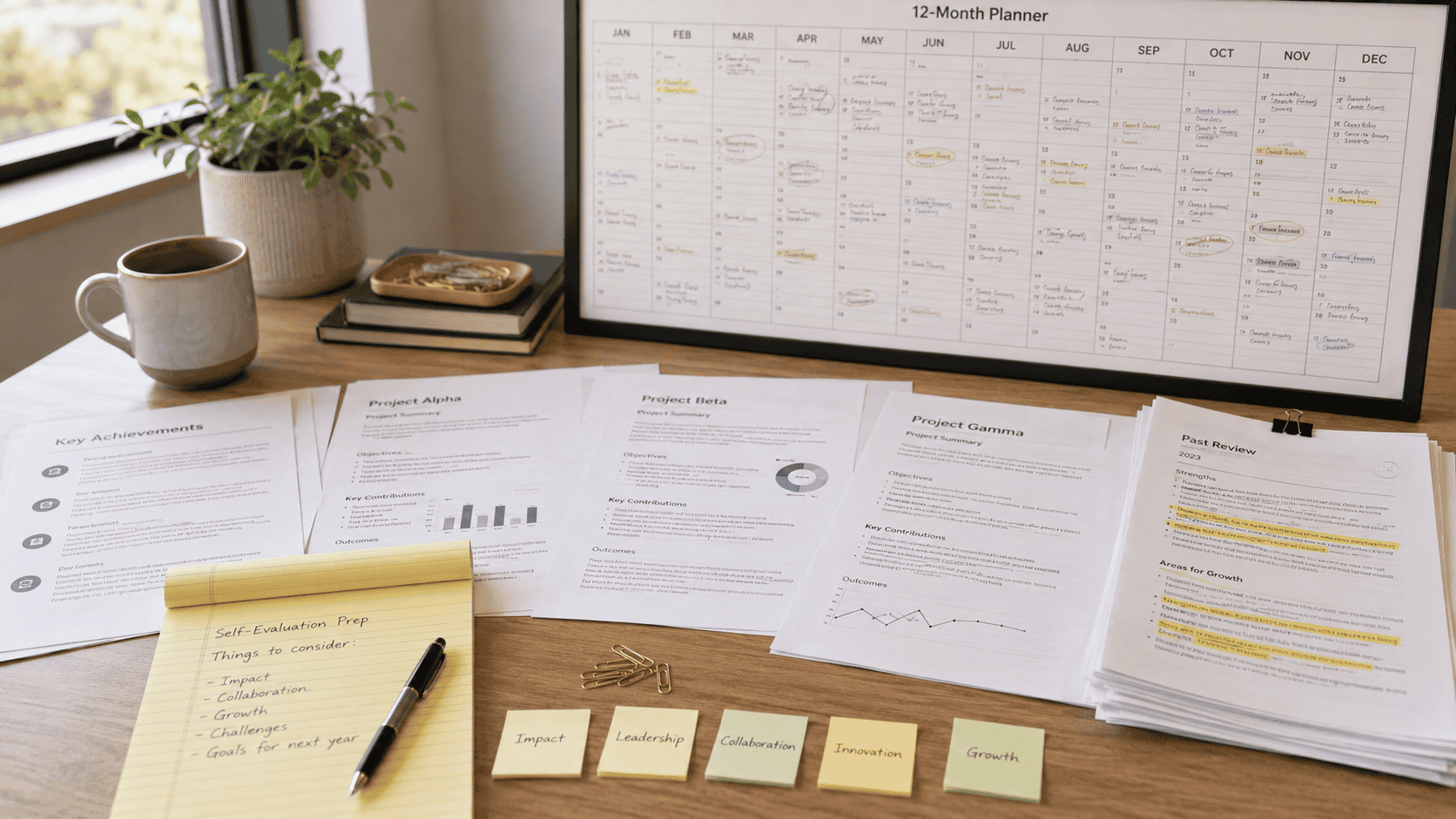
Don’t open Claude until you’ve gathered your material. Claude works with what you give it, and the difference from the usual advice is how much you can give it. You don’t need to boil the year down to bullets first; you can paste the raw notes, and Claude will do the boiling. Spend 20 to 30 minutes collecting:
Your year, raw
Pull up whatever goals or objectives were set at the start of the review period, then gather everything that shows what happened against them. Project records, your 1-on-1 notes, meeting notes, feedback you received, praise in chat, customer comments, and the metrics you have. Paste liberally. The whole point of Claude’s context is that you don’t have to decide what matters before you’ve looked. Include the work that stalled and the things that frustrated you, because recurring friction is useful context even if it never appears in the final draft.
Honest development areas
Where do you want to grow? What skills would help you advance? What challenges did you hit this year? Everyone has development areas, and naming yours shows self-awareness rather than weakness. If your notes are all delivery and nothing about coaching, collaboration, or leadership behavior, a set of 360-style questions is a fast way to notice what you never wrote down, before Claude faithfully reproduces the same blind spot.
Context that matters
Unusual obstacles, team changes that affected your work, priorities that shifted mid-year. Document these circumstances. They’re essential for a fair evaluation, and they’re the details a manager can’t supply for you.
Your manager’s feedback
Review your 1-on-1 notes for what your manager highlighted as strengths and what development feedback you got. Aligning your self-evaluation with feedback they’ve already given shows you listened and acted on it.
What to leave out
Compensation details, medical or accommodation information, confidential investigations, and other people’s personnel matters stay out of the paste. If your company has rules about AI tools, follow them here before anywhere else, and replace coworkers’ names with role labels if your policy asks for it.
The time investment
Twenty to thirty minutes of gathering feels like a lot until you remember the alternative, which is reconstructing March from memory at 11 p.m. the night before the deadline. Gather it upfront and the drafting becomes editing. Once you have everything in one document, you’re ready.
The Prompts: Copy, Customize, Use
Now for the practical process. Five prompts, in order, plus three bonuses. Replace the bracketed parts with your own details, and treat every output as a draft to edit rather than a sentence to ship.
Prompt 1: Map your year
Start by giving Claude everything and asking for an inventory rather than prose. This is where the long context earns its keep, and it prevents Claude from drafting before it’s read.
Copy this:
I'm writing my self-evaluation for my role as [title]. Below is everything from my year: notes, feedback, project records, and my prior review. Read all of it before responding. Then give me a structured map of my year organized by project and responsibility, with the recurring themes, the three to five strongest accomplishments, and anything that looks underrepresented compared with what my role involves. Separate what I did from what the team did. Don't write review prose yet, and don't infer results the material doesn't support.Example output, one theme: “Operational leadership during incidents. Appears in the July rollback thread, the escalation path you drafted in the Q3 retrospective, and two 1-on-1 notes, so it’s a pattern rather than a one-off. The rollback coordination was yours; the escalation process was yours to draft and the team’s to adopt. Open question: nothing here shows whether the new process shortened later incidents.”
Why start here. You’re too close to see your own patterns, and a year of scattered entries hides them completely. The map shows what the year looks like on paper, which is rarely how it looks in your head, and it tells you where the evidence is thin before you start writing over the gaps.
Prompt 2: Draft your accomplishments
Work section by section, starting with your biggest wins. This is the most important part of any self-evaluation.
Copy this:
Using the strongest accomplishments from the map, write the accomplishments section of my self-evaluation. For each one, state what I did, my specific contribution, and the result. Use metrics only where they appear in what I pasted, and mark shared outcomes as shared. Write in first person, confident but not inflated. Then recheck the draft against what I pasted and flag any sentence that sounds more certain than the evidence allows.Example output: “I reworked the onboarding handoff between product, support, and engineering, coordinating the changes across all three teams. Customers reached their first value noticeably faster after the change; the exact figure is in the product dashboard note and needs confirming before it goes in the final version.”
Then you adjust it. Does that sound like you? Too formal? Edit until it does, and notice the honesty in the example. Where the number isn’t in your notes yet, the draft says so instead of rounding upward. Measured confidence means replacing adjectives with proof.
Prompt 3: Articulate your strengths
Copy this:
Based on my accomplishments and the feedback in my material, identify and describe my key strengths. Focus on skills I demonstrated repeatedly, what I'm known for on the team, and where I added value nobody else did. Frame them professionally without overinflating, and cite where in my notes each one shows up. Write in first person.Why this works. When Claude has the whole year rather than a curated list, the patterns are real ones. Maybe you consistently unblocked cross-functional problems. Maybe you turned around a struggling project. Maybe the coaching you barely remember shows up in three separate notes. Claude sees the repetition you can’t.
Prompt 4: Frame your development areas
Every employee has areas for growth, and acknowledging yours honestly shows self-awareness and commitment to improving.
Copy this:
From the missed goals, recurring friction, and feedback in my material, identify two or three development areas. Write each one as an accountable statement about a behavior I can change, not a judgment about my personality, and note where in my notes it shows up. First person, honest, no fake humility and no excuses.Example output: “I want to slow down when presenting to senior leadership. My prior review and my own notes both show me moving through the reasoning too quickly and leaving too little room for questions. I’ve started building a discussion section into every leadership readout and plan to lead two more this quarter to practice it.”
Honest, constructive, and grounded in something you actually wrote down. Pretending you have no development areas reads as a lack of self-awareness to anyone who reads a lot of these.
Prompt 5: Set next year’s goals
Your goals show you’re thinking ahead, and they set expectations with your manager about what you need from them.
Copy this:
Based on my role and these development areas, draft three or four professional development goals for next year. Make them specific and measurable where my material supports a number, and where it doesn't, propose a clear qualitative success condition and label it for my review. Keep them realistic but ambitious, and aligned with both my growth and the team's needs. Write in first person.Why this matters. Vague goals help nobody. “Lead two leadership readouts with built-in discussion time by Q2” gives your manager something concrete to support and hold you to. Goals that trace to real development areas also feed straight into a development plan if your company runs one.
Bonus prompt: The tone check
This one is Claude’s specialty, and it runs last, on the full draft, after the facts are settled. Accuracy and credible tone are separate checks, and a draft can pass one while failing the other in either direction.
Copy this:
Scan my self-evaluation for two problems. First, overclaiming: solo language for shared work, inflated impact, and certainty beyond the evidence. Second, underselling: weak verbs that hide real ownership, unnecessary apologies, and hedging that makes documented contributions sound accidental. For every flag, give a revised sentence that keeps the facts, names collaboration accurately, and states ownership clearly. Don't add facts.| Original line | Problem | Revised |
|---|---|---|
| “Led the redesign that everyone now uses.” | Claims universal adoption and erases collaborators | “Co-led the checkout redesign with Priya. Adoption reached 78% within six weeks of the May release.” |
| “Helped the team a bit with QA.” | Minimizes a concrete contribution | “Built the regression test harness the team adopted for the payments service, cutting QA cycle time by roughly four hours per release.” |
| “I was fortunate to support the migration.” | Uses humility to hide ownership | “Owned the migration plan and coordinated dependencies across engineering and support.” |
Any figure in the revised column has to exist in your notes first; the check never manufactures precision. And watch the subtle version of underselling. “Partnered on” and “supported” are accurate words that turn evasive when you’re the one who made the decision or carried the coordination.
Bonus prompt: Difficult year
If you had a genuinely hard year, address it directly. Better to own the story than leave your manager guessing.
Copy this:
This year had significant challenges: [describe the obstacles, team changes, shifting priorities, or resource constraints that actually affected your work]. Help me frame this constructively. Acknowledge the challenges, show what I learned and how I adapted, and give honest context without excuses. Write in first person.Use it only when circumstances really did shape your performance. It’s context for a hard year, never cover for a weak one.
Bonus prompt: Connect to company values
Copy this:
Our company values are [list them]. Using my accomplishments from the map, connect my work to these values only where there's genuine alignment. Don't force a connection that isn't there.Use sparingly, and only if your company actually evaluates against stated values. Forced connections are obvious and feel disingenuous.
Making It Work: The Details Matter
Having the prompts is half the battle. Using them well is the other half.

- Customize every prompt. Bracketed placeholders get your real title, projects, and numbers. “Increased sales” gets generic language; “increased enterprise sales from $2M to $3.2M by targeting the healthcare sector” gets something you can use.
- Iterate. First output not right? “Make this less formal.” “This sounds inflated, pull it back.” “Add the metric from the Q3 note.” Each round gets closer, and Claude still has your whole year in view while it revises.
- Build section by section. Refining chunks beats editing a 2,000-word document in one pass.
- Read everything aloud. Does it sound like you? Would your coworkers believe you wrote it? A sentence you’d never say out loud doesn’t belong in the document.
- Verify before you paste. Ask Claude to list every factual claim in the draft with where it came from in your notes, then check the names, dates, and every number yourself. Claude finds patterns in what you gave it and can’t know what you never wrote down, and it can’t tell luck from difficulty. You can.
- Balance confidence with self-awareness. Own your wins clearly, and acknowledge growth areas honestly. Everyone has them.
- Spend as long personalizing as generating. Generic AI language is obvious to anyone who reads dozens of these. The value is a strong draft built from your real year that you then make unmistakably yours.
Beyond Claude
Claude is the right tool for the too-much-material year. It isn’t the only one.
ChatGPT is the better fit when the problem is phrasing rather than volume. If you already know your five wins and just need them turned into confident, professional language, that workflow is faster to start, and the five self-evaluation prompts get you there in an afternoon. Microsoft Copilot and Google Gemini run a different method entirely, pulling your evidence straight from your mailbox, meetings, and documents inside Microsoft 365 or Google Workspace, and both get their own guides in this series. Notion AI fits the person who documented the whole year in Notion and wants to mine it where it lives.
Quick reference. Too much material, Claude. Clear wins that need words, ChatGPT. Your year lives in a suite, the suite’s assistant. Your year lives in Notion, Notion AI. If you also write reviews for your own team, the manager-side version of this workflow is the Claude for performance reviews guide and its five prompts, and the wider kit is mapped in best AI tools for managers.
Bottom Line
A big year shouldn’t produce a thin self-evaluation, and with Claude it doesn’t have to. What you get: the whole year in one conversation, patterns you couldn’t see from inside it, the wins you’d forgotten, and drafts that arrive measured instead of inflated or apologetic. What you still need: honest reflection on what the year meant, verification of every number and name, and your own voice in every sentence.
The difference is where the 90 minutes go. Twenty gathering, ten letting Claude map the year, sixty editing a draft built from what actually happened instead of your best guess at it. Your manager’s manager reads this document. Build it from the record, and it will hold up.
Frequently Asked Questions
Can Claude write my self-evaluation for me?
It can draft it from your material, and the drafts arrive unusually measured, but the judgment stays yours. Claude finds the patterns, separates your contribution from the team’s, and proposes language. You decide what it means, verify every claim, and rewrite until it sounds like you.
Do I need Claude Pro for this?
For the paste-everything method, yes. The free tier’s limits make a year-sized paste impractical, while Pro at $20 a month runs Sonnet 5 with a million-token context in chat, more than enough for a full year of notes and reviews. Usage is metered on a rolling five-hour window, so gather first and work through the prompts in one sitting.
How much should I paste into Claude?
More than you think. Notes, transcripts, prior reviews, feedback, project records, and your own frustrations all belong in the paste, because the point is letting Claude find what matters instead of deciding first. Leave out compensation details, medical information, confidential investigations, and other people’s personnel matters.
Is it safe to put my notes in Claude?
Work notes about your own projects are usually fine, but check your company’s AI policy first, since some restrict these tools for anything touching performance. Strip the sensitive categories regardless, replace other people’s names with role labels if asked, and when in doubt, ask HR before you paste.