
Your company rolled out Copilot, the announcement email called it a game changer, and now you’re looking at the $20 you quietly spend on ChatGPT Plus every month and wondering if it just became redundant. That’s the real question behind ChatGPT vs Copilot for managers, and the honest answer is usually no, but it takes some unpacking, because the two tools aren’t actually playing the same position.
Here’s the first thing to know, and it surprises most people: you may not even have the Copilot you think you have. Microsoft restructured the whole lineup this month. There’s a free Copilot Chat that every Microsoft 365 user gets, and then there’s the full embedded Copilot, a roughly $30-per-seat add-on your company has to buy on top of its regular licenses. Across Microsoft’s hundreds of millions of business users, only a few percent have paid seats. So when someone says we have Copilot now, the first useful move is finding out which one they mean.
Either way, the comparison is worth doing properly, because these tools genuinely are good at different jobs. Copilot is embedded where corporate work already happens, in Teams, Outlook, Word, and Excel. ChatGPT is the flexible generalist in a browser tab that doesn’t care what your company runs. This piece walks the real split: where Copilot honestly wins, where ChatGPT still earns its $20, what the security people will say, and the dual-tool setup most managers quietly land on.
Key Takeaways
- Before deciding, find out which Copilot your company actually has: free Copilot Chat and the paid $30 Microsoft 365 Copilot are very different tools, and only the paid one reaches deep into your Teams, Outlook, and Office files.
- Copilot wins on the boring, integrated work: Teams meeting recaps, Outlook triage, and Excel help, because it already lives inside the Microsoft suite where that data sits.
- ChatGPT still earns its $20 on the words that matter: sensitive feedback, tricky messaging, and messy thinking that needs reasoning rather than retrieval from a single suite.
- The security and cost call is often made by IT before you get a vote; Copilot’s data-boundary story is legitimate, but shadow AI use is the reality most rollout decks ignore.
- The honest verdict is to run both on purpose: let Copilot handle in-suite grunt work, keep ChatGPT for high-stakes writing, and settle it for yourself with a one-week split test.
Table of Contents
First, Figure Out Which Copilot You Actually Have
The name Copilot is doing a lot of work at Microsoft these days, and the single most useful thing you can do before comparing anything is find out what your company actually bought. As of Microsoft’s July 2026 restructuring, there are two meaningfully different things wearing the badge, per Microsoft’s own Copilot plans page.
Copilot Chat is the free layer. Every Microsoft 365 user gets it, and since this month’s update it has inbox and calendar awareness plus agents that work with Word, Excel, and PowerPoint files. It’s genuinely useful and it costs your company nothing extra.
Microsoft 365 Copilot is the paid, fully embedded version, roughly $30 per seat per month for enterprises on top of the base license, with cheaper bundles for smaller companies. This is the one from the demos, sitting inside Word as you write, summarizing the Teams meeting you’re still in, working across your company’s files through its knowledge of the tenant.
The distinction matters because paid seats are still the exception, not the rule. Microsoft has hundreds of millions of commercial 365 users and only a low-single-digit percentage of them on paid Copilot seats. So “we have Copilot now” often means the free Chat tier, and if that’s your situation, keep your ChatGPT Plus without a second thought, because you’d be trading down. Between free Copilot Chat and paid ChatGPT, the paid tool is the stronger of the two you’d actually be holding. The Copilot guide for managers covers what each tier does in day-to-day management work.
If your company did buy the full version
Then the real comparison begins, and it’s the same shape as ChatGPT vs Gemini: embedded versus standalone. Full Copilot lives inside the apps a corporate manager can’t escape. It reads the Outlook thread where the context already sits, works on the Excel file without an export, and attends your Teams meetings in a way no browser tool can. ChatGPT lives in its own tab, belongs to nobody’s suite, and treats everything you bring it exactly the same.
| What managers care about | Copilot | ChatGPT |
|---|---|---|
| Where it lives | Inside Teams, Outlook, Word, Excel | A browser tab, any stack |
| Company context | Reads tenant files and threads when configured | You bring the context to it |
| Who pays | The organization, per seat | Usually you, $20/month |
| Who decided | IT, Finance, and Legal | You |
| Setup quality matters? | Enormously (messy SharePoint = weak Copilot) | Barely |
That last row deserves a sentence, because it’s the one nobody warns you about. Copilot is only as good as your company’s Microsoft hygiene. If files are scattered, permissions are a mess, and half the org ignores SharePoint, Copilot will be technically present and practically underwhelming, and that’s a rollout problem, not a product one. A practical orientation to Copilot’s workflows helps set expectations for what a well-configured setup looks like.
Where Copilot Honestly Wins: Teams, Outlook, and the Boring Stuff
If your company did spring for full Copilot, there are two jobs where it beats ChatGPT not by being smarter but by being closer, and they happen to be two of the biggest time sinks in a manager’s week.
Teams recaps are the reason managers keep it
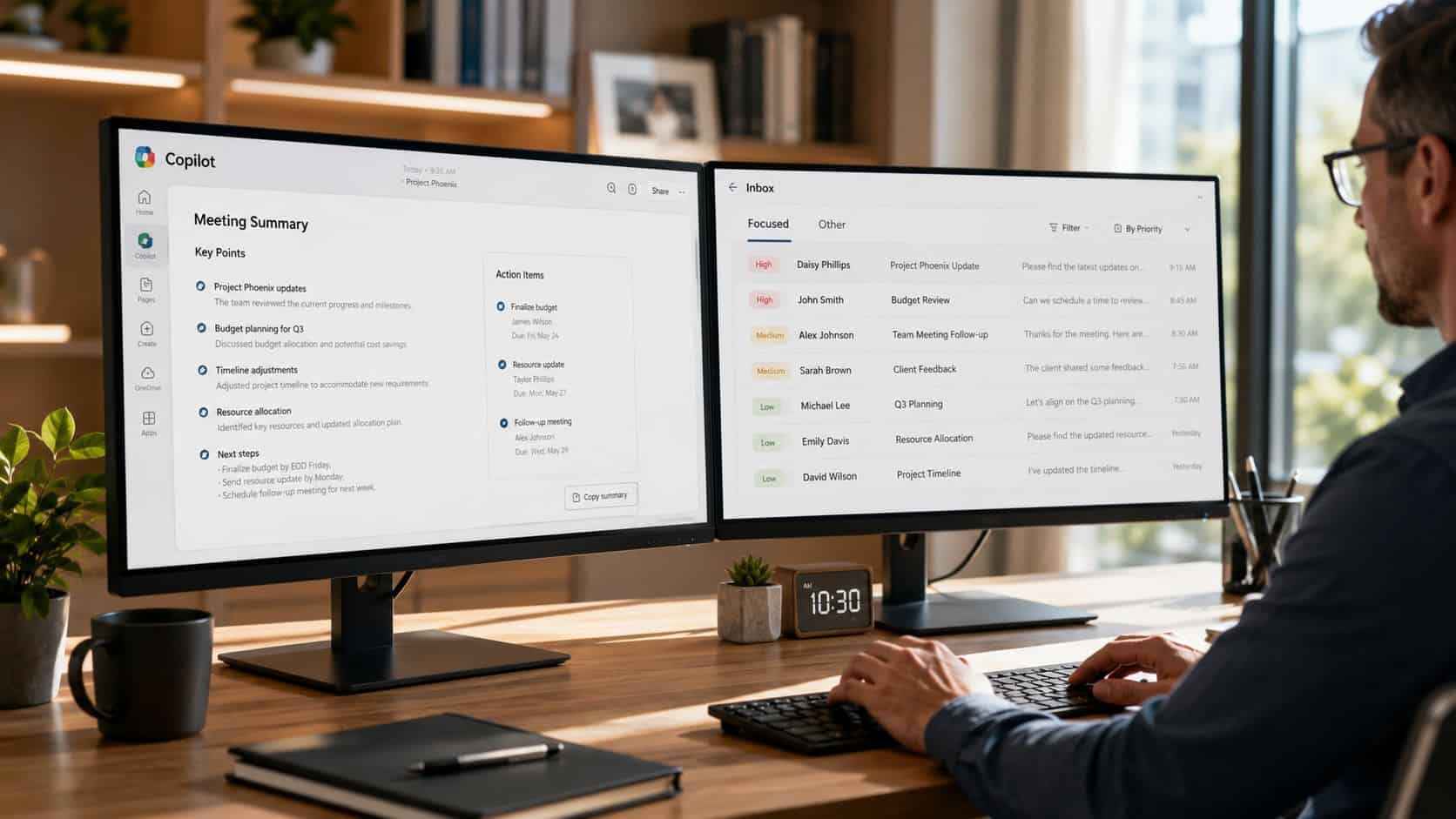
Think about how much of your week goes to reconstructing meetings. Who committed to what, which decision actually got made, whether that deadline was agreed or just floated. Copilot in Teams does that reconstruction where the meeting already happened: decisions, open questions, and action items pulled straight from the call, with no transcript export, no pasting, no bot with a weird name joining your call. When someone disputes what was said, you can check who said what before you repeat it to your team as fact.
You can do most of this with ChatGPT by feeding it a transcript, and for a one-off meeting that works fine. For the six recurring internal meetings you run every week, manual loses. It always loses. The friction doesn’t sound like much until it’s Thursday and you’ve skipped the ritual four times.
A good recap isn’t a nicety, either. It’s how things actually get executed, because a vague discussion becomes an assigned follow-up in writing. If you run meetings on the ChatGPT side of the fence, the ChatGPT prompts for meeting agendas do the equivalent prep work, but once the meeting itself lives in Teams, Copilot has the cleaner lane and it isn’t close.
Outlook triage is boring, and that’s the compliment
The other genuine win is the unglamorous one. A thread with fourteen replies, two attachments, and a question buried in message nine is exactly what Copilot handles well in Outlook: summarize it, surface what still needs an answer, draft the reply in context. Nobody screenshots this for LinkedIn. It’s also the kind of help you feel by Wednesday, because it removes drag from the part of the job everyone quietly hates.
Excel deserves a mention
If a forecast going sideways means you living in a spreadsheet for an afternoon, Copilot’s ability to explore the file in place, without exporting anything, is real. And for pulling internal evidence together at review season, Copilot for performance reviews covers the workflow where tenant access genuinely helps, gathering the receipts before the writing starts.
The pattern across all three: Copilot wins when the work starts and ends inside Microsoft 365. The task arrives structured, the context is already there, and the assistant’s whole job is proximity. If you’d rather start from a single recommendation, see this ranking of assistants for managers.
Where ChatGPT Still Earns Its $20: The Words That Matter
Copilot can draft. Nobody’s disputing that. But there’s a category of management work where access to your company’s files barely matters, because the job runs on judgment, phrasing, and enough distance from the source material to avoid producing corporate sludge. That category is where ChatGPT keeps its seat.
Sensitive language needs reasoning, not just retrieval
Take the classic hard one: feedback for a strong performer with weak collaboration habits. Copilot’s superpower, pulling context from your tenant, barely helps here. You already know what happened. What you need is language that’s candid without being harsh, specific without being a court transcript, and usable in an actual conversation with an actual person. That’s a writing problem, and writing problems reward iteration: draft it, push back, make it firmer, make it less HR, give me a version that opens with the growth area. ChatGPT is built for exactly that push-and-pull, and it’s why review season is still where the $20 pays for itself. The full workflow is in the guide to ChatGPT for performance reviews.
The same goes for the whole family of words-that-matter tasks: promotion cases, a reorg announcement that won’t start rumors, the message to a peer that needs to be firm without burning the bridge. Copilot will produce something serviceable. ChatGPT, pushed through three rounds, produces something that sounds like you.
Messy thinking doesn’t live in one suite
The other lane is everything that doesn’t belong to an app yet. A strategy forming out of a chat thread here, a meeting that happened there, a half-idea you typed on your phone. Copilot assumes the answer lives somewhere in the Microsoft tenant. Plenty of manager thinking doesn’t live anywhere yet, and a blank-page tool that takes whatever you throw at it, pasted fragments, uploaded files, a rambling voice-note transcript, fits that work better than a suite-bound one.
There’s a simple test buried in all this. When the task is “tell me what happened,” Copilot has the edge, because it was in the room. When the task is “help me figure out what to say or do next,” ChatGPT is usually the stronger partner. Most weeks, a manager has plenty of both.

The Part IT Decides Before You Get a Vote
For most managers this was never really a personal software choice. Legal set the data rules, Finance approved the licenses, and IT configured what Copilot can see. Your job is to operate well inside those lines, and it helps to understand why they’re drawn where they are.
The security argument leans Copilot, and it’s legitimate
Copilot was built enterprise-first: your prompts and files stay inside the company’s Microsoft security boundary, the same walls your email already lives behind. ChatGPT grew up as a consumer product and added its enterprise controls later, which is why compliance teams in healthcare, finance, and the public sector are consistently more comfortable with work staying inside the tenant. If your team touches HR records, client data, or anything regulated, expect the policy to say Copilot yes, external tools carefully or not at all. The policy usually has real reasoning behind it, even when it arrives sounding like IT being difficult.
The shadow-AI reality nobody puts in the rollout deck
Here’s what actually happens after a Copilot rollout, though: people keep using ChatGPT anyway. Consulting firm Sikich found that the large majority of organizations see employees using outside AI tools even with enterprise Copilot in place, and broader adoption tracking shows ChatGPT’s public footprint still dwarfs Copilot’s standalone usage. People use the tool they already know.
For a manager, that lands squarely on your desk. Your team is almost certainly pasting things somewhere, and an unspoken boundary is how sensitive data ends up in the wrong tool. The fix is saying the rule out loud: Copilot for anything touching internal files and people data, external tools only for sanitized or generic content, and nothing confidential in any tool the company hasn’t blessed. Making that legible to your team is basic hygiene now, and AI training for employees covers how to build the fluency without a compliance lecture.
Who pays shapes how it feels
One more asymmetry worth naming. Copilot feels free to you because the company bought it. ChatGPT feels discretionary because it’s your card. That framing quietly biases people toward “cancel the personal one,” which is exactly backwards if the personal one is doing your highest-judgment work. Price the tools by the work they do, not by whose budget line they sit on.
The Verdict: Run Both, On Purpose
After all of that, “is your $20 redundant” has a clean answer: only if you weren’t using ChatGPT for much in the first place. For everyone else, the honest move is a deliberate split rather than a winner. Here’s the matrix:
| The task | Reach for | Why |
|---|---|---|
| Teams meeting recap | Copilot | It was in the room. Decisions and action items in context |
| Outlook thread triage | Copilot | The context already lives there |
| Excel exploration | Copilot | Works the file in place, no exports |
| Performance reviews and hard feedback | ChatGPT | Judgment and phrasing beat tenant access |
| Strategy from scattered inputs | ChatGPT | Blank-page thinking across any source |
| Tone repair on a tense message | ChatGPT | Iteration is the whole game |
| Pulling internal evidence together | Copilot | Tenant retrieval is the whole game |
| Anything on a mixed, non-Microsoft stack | ChatGPT | Suite integration you can’t use is worth nothing |
The pattern is the same test from earlier. “Tell me what happened” work goes to Copilot. “Help me figure out what to say or do next” work goes to ChatGPT. A normal management week has plenty of both, which is why so many managers quietly run the pair even when the official rollout narrative says the company tool does everything.
Settle it with a one-week split test
Skip the abstract debate and run the experiment. For one week, send every task that starts and ends in Microsoft 365 to Copilot: the Teams recaps, the Outlook threads, the in-file Excel questions. Send everything else to ChatGPT: the feedback drafts, the planning, the synthesis across tools. Keep a scrap note of where each one saved real time or produced something you actually used. By Friday you’ll know your own answer, and it’ll be better than any comparison article’s, including this one. If the test leaves you wanting to tune the wider kit, the best AI tools for managers roundup is the next stop.
Two starter prompts to seed the week:
For Copilot (in Teams):
Summarize the key decisions, unresolved questions, and action items from my most recent Teams meeting about [project]. Group action items by owner and flag anything that still needs executive approval.For ChatGPT:
Draft three versions of feedback for an employee who is strong technically but struggles with team communication: one direct, one coaching-oriented, and one suitable for HR review. Use only the details I provide and don't invent examples.One last honest note. Before you cancel or commit to anything, check which Copilot you actually have. A surprising number of “should I keep ChatGPT” debates end the moment someone discovers their company never bought the paid seats.
Frequently Asked Questions
My company rolled out Copilot. Should I cancel ChatGPT Plus?
Usually not right away. First confirm whether you have the free Copilot Chat or paid Microsoft 365 Copilot seats, because they’re very different tools. Even with full Copilot, most managers keep ChatGPT for the high-judgment writing work, reviews, difficult feedback, and strategy, where iteration matters more than access to company files. Run a one-week split test before deciding.
How do I know which Copilot my company has?
Ask IT one direct question: do we have paid Microsoft 365 Copilot licenses, or the included Copilot Chat? If Copilot appears inside Word and Excel as you work and summarizes your Teams meetings automatically, you likely have paid seats. If it’s a separate chat experience, that’s the free tier. Paid seats are still the exception at most companies.
Is Copilot safer than ChatGPT for sensitive work data?
Generally yes, because Copilot keeps prompts and files inside your company’s existing Microsoft security boundary, which is why compliance teams prefer it for HR records, client data, and regulated content. ChatGPT offers enterprise-grade protections on its business tiers, but the account and plan you’re using determine the rules. When in doubt, follow your company’s policy, and never paste confidential material into a personal account on any tool.
Can I use Copilot and ChatGPT together?
Yes, and it’s the setup most managers land on: Copilot for work that starts and ends in Microsoft 365, ChatGPT for open-ended drafting, sensitive phrasing, and thinking across mixed sources. The important part is making the boundary explicit for your team, so sensitive data doesn’t drift into the wrong tool.